Do I need Claude, ChatGPT, and OpenCode Go?
Brauche ich Claude, ChatGPT und OpenCode Go?
No. Connect Claude, ChatGPT, or both. OpenCode Go monitoring is optional and off by default.
Nein. Verbinde Claude, ChatGPT oder beide. OpenCode Go ist optional und standardmäßig ausgeschaltet.
Does Token Monitor reuse browser cookies?
Verwendet Token Monitor meine Browser-Cookies?
No. Every provider uses its own persistent WebKit session inside the app.
Nein. Jeder Provider nutzt eine eigene persistente WebKit-Session in der App.
Can I use multiple accounts with one provider?
Kann ich mehrere Accounts eines Providers nutzen?
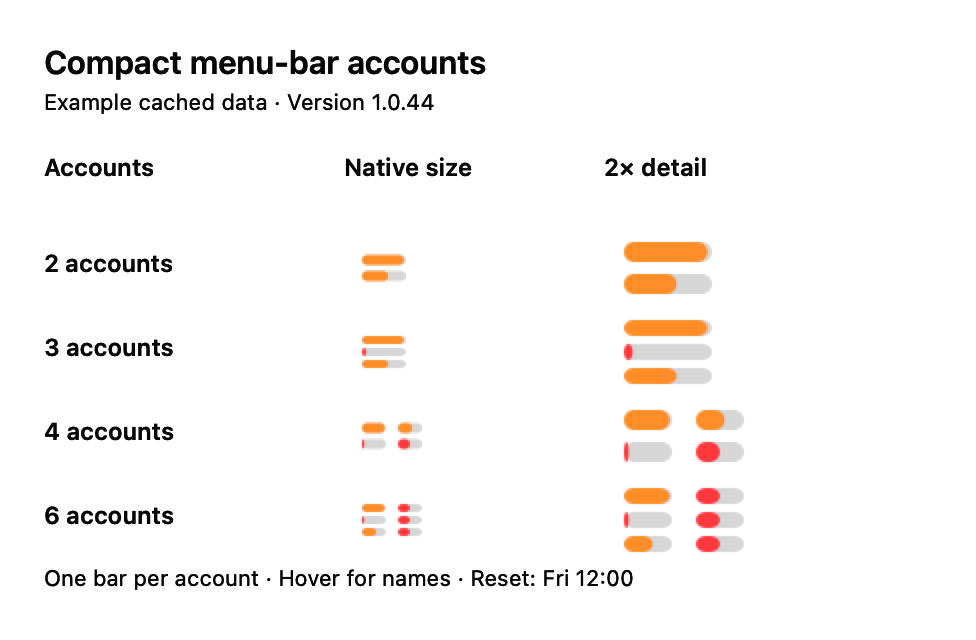
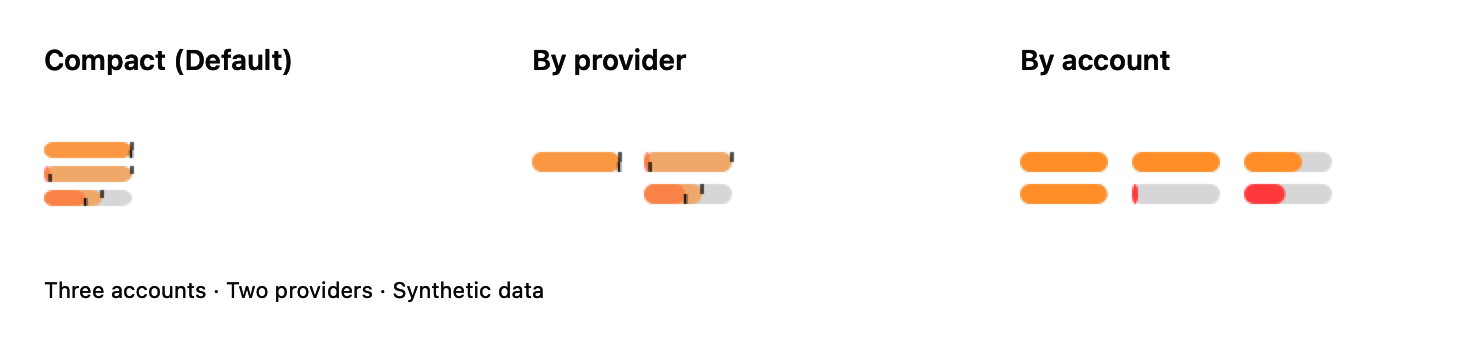
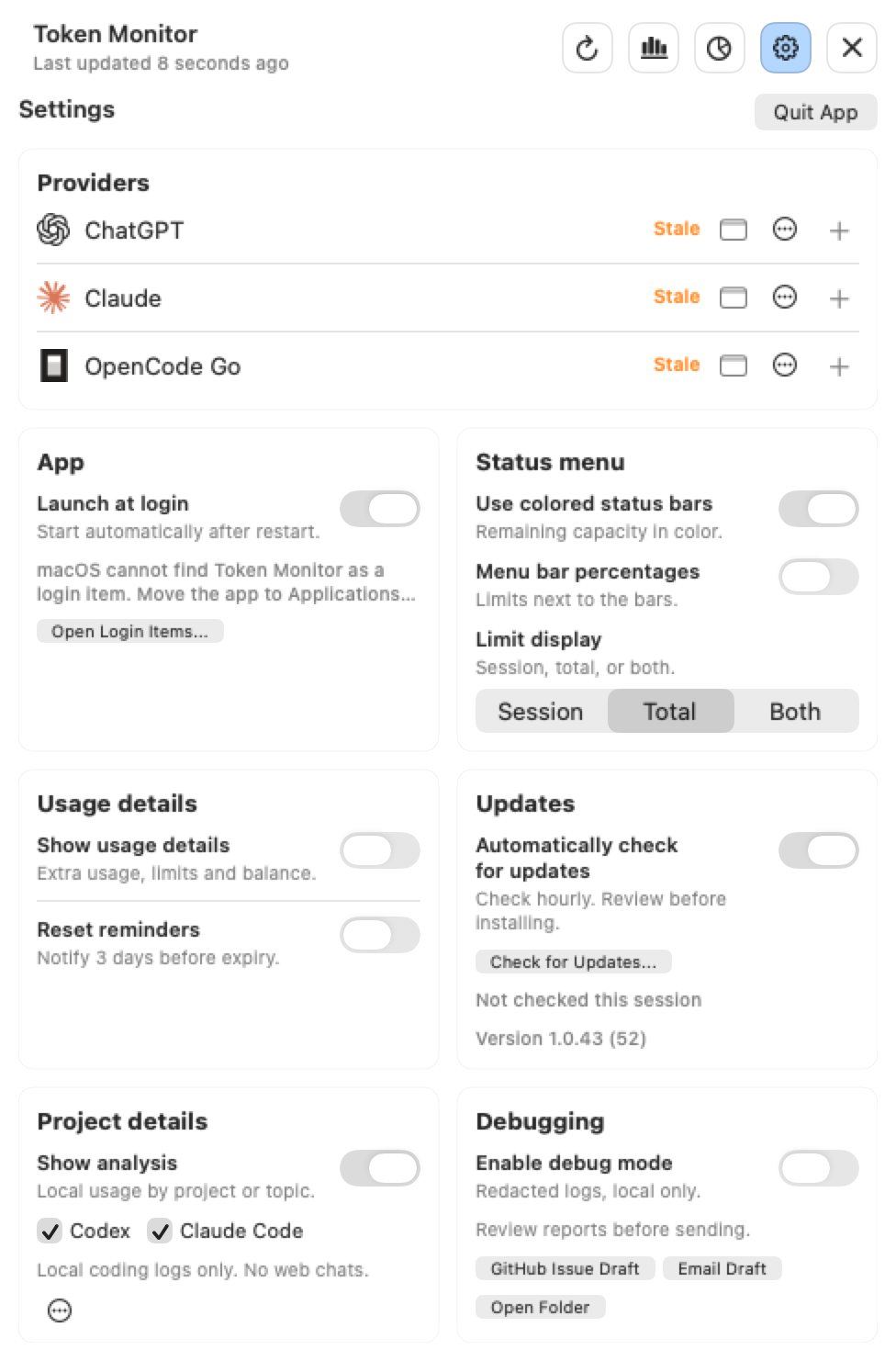
Yes. Add and name accounts with + in Settings, then add the accounts you want to the menu bar. For two Claude accounts side by side, choose Bar layout > By account and Limit display > Both. Click ChatGPT's small menu-bar icon in Settings to hide it if you only want the two Claude accounts; it stays connected. Each account gets Session above Total; Menu bar percentages adds the numbers. Compact remains the default and By provider groups accounts in one column per provider. Up to six accounts are visible; more appear as +N. The choice takes effect immediately and survives restarts.
Ja. Füge mit + in den Settings Accounts hinzu, benenne sie und wähle die gewünschten Konten für die Menüleiste aus. Für zwei Claude-Konten nebeneinander wähle Bar layout > By account und Limit display > Both. Blende ChatGPT mit seinem kleinen Menüleisten-Symbol in den Settings aus, wenn nur die beiden Claude-Konten sichtbar sein sollen; das Konto bleibt verbunden. Jedes Konto bekommt Session oben und Total unten; Menu bar percentages ergänzt die Zahlen. Compact bleibt Standard und By provider gruppiert Konten je Anbieter. Bis zu sechs Konten sind sichtbar; weitere erscheinen als +N. Die Auswahl wirkt sofort und bleibt nach Neustarts erhalten.
How does Token Monitor update?
Wie wird Token Monitor aktualisiert?
From 1.0.43, automatic update checks are on by default. An existing opt-out is preserved; enable checks in Settings to check immediately and hourly. Review Update remembers your click while a background download finishes. From 1.0.47, Install on quit separately enables automatic downloads and installation when you quit, without a forced restart. Existing preferences are preserved; macOS may still require approval. Updates preserve local sign-in storage, though providers can still require reauthentication.
Ab 1.0.43 sind automatische Update-Prüfungen standardmäßig eingeschaltet. Eine gespeicherte Abschaltung bleibt erhalten. Aktiviere den Schalter für eine sofortige und danach stündliche Prüfung. Review Update merkt deinen Klick während des Hintergrunddownloads vor. Ab 1.0.47 aktiviert Install on quit separat den automatischen Download und die Installation beim Beenden, ohne erzwungenen Neustart. Bestehende Einstellungen bleiben erhalten; macOS kann eine Bestätigung verlangen. Updates erhalten den lokalen Login-Speicher; Provider können trotzdem eine erneute Anmeldung verlangen.
Is this an official Anthropic or OpenAI app?
Ist das eine offizielle App von Anthropic oder OpenAI?
No. Token Monitor is an independent open-source utility and is not affiliated with Anthropic, OpenAI, or Apple.
Nein. Token Monitor ist ein unabhängiges Open-Source-Werkzeug und nicht mit Anthropic, OpenAI oder Apple verbunden.
Why is Token Monitor missing from Login Items?
Warum fehlt Token Monitor bei den Anmeldeobjekten?
Launch at login uses Apple's ServiceManagement API, which expects a code-signed app. Move TokenMonitor.app to Applications, open it once, and enable Launch at login in Settings.
Launch at login nutzt Apples ServiceManagement-API, die eine signierte App erwartet. Verschiebe TokenMonitor.app nach Applications, öffne sie einmal und aktiviere Launch at login in den Settings.